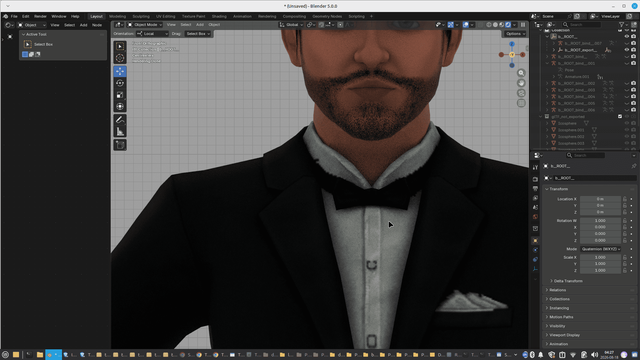
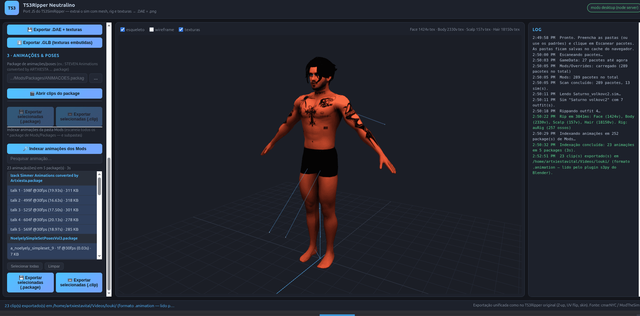
Extract complete sims — skinned mesh, rig, textures, poses and animations — straight from your game files, with a live 3D preview. Ready for Blender 3.6+.
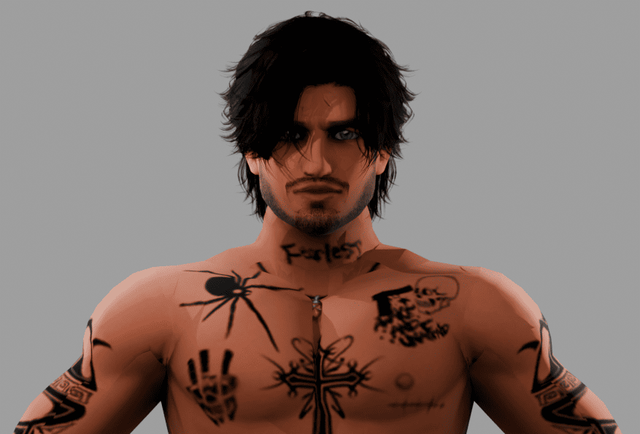
From game packages to Blender-ready files — fully local, no cloud, no sign-up.
Full skinned mesh + rig + textures exported as .DAE + .png — the unified TS3Ripper pipeline (SIME → SIMO → CASP → VPXY → GEOM).
.DAEClean, Blender-ready .GLB with embedded textures. Clean rig (only bones used by the meshes) — compatible with Blender 3.6+.
.GLBInspect the sim with textures, skeleton and wireframe before exporting. Pick any outfit and LOD level (0–3).
LiveExtract animation files directly from .package files — no S3PE needed. Export clips as .animation or .package.
.animationScans every .package in Mods/Packages (and subfolders), listing animations with name, frames, fps, duration — search and batch-select.
BatchEverything runs on your machine. Handles huge packages (FullBuild/DeltaBuild 1–2 GB) via chunked range reads.
PrivateLinks are fetched automatically from the latest GitHub release — this page always shows the newest files.
Download the zip, extract and run. Works on Windows 10/11.
For Debian / Ubuntu / Mint. Install the package and launch from the app menu.
The rigging tool for remapping animations to the GLB rig.
Ready-made Auto Rig Pro remap preset to map original TS3 animations onto the GLB rig.
Full source with resources and tests — review or build it yourself.
Release page: github.com/jayjay03310/ArtxiestaTS3RIPPER/releases
From game folder to finished model in five steps.
Game root (GameData), Mods/Packages, SavedSims and an output folder.
Click Scan packages — all found sims appear in the list.
Select from the list and choose the LOD (0 = highest quality).
Rip outfit builds the model, then Export .DAE + textures or Export .GLB (recommended for Blender).
Open an animation package or index the Mods, select clips and export as .animation.
Always prefer .GLB: the rig is clean and compatible with Blender 3.6+.
Choose your operating system.
Grab it from the Downloads section above.
Open a terminal in the folder and run:
sudo apt install ./ts3ripper-neutralino_amd64.debOpen "TS3Ripper Neutralino" from the app menu. Pick a port (or leave auto) and click Start — the UI opens in your browser.
Requirements: Node.js 18+, Python 3 + GTK3 (installed automatically as package dependencies).
Get the Windows zip above and extract the folder.
Run TS3RipperNeutralino.exe — its own window via WebView2 (standard on Windows 10/11).
Run Iniciar.bat (requires Node.js) — opens the UI in your browser; more stable with huge packages.
Use Blender's built-in glTF importer (3.6 or newer). The rig comes ready to animate.
All files on this site are compatible with the Blender 3.6 ecosystem and newer.
We provide Auto Rig Pro as your rigging tool — download it with the ready-made remap preset (.bmap) in the section above. The GLB rig exported by the program is the recommended one, compatible with Blender 3.6 or newer. The program itself extracts the animation files — no S3PE required, and it's easy to use.
In TS3Ripper Neutralino, export your clips as .animation files.
In Blender, use the Lazy Duchess addon to import the .animation into the original Sims 3 rig.
With Auto Rig Pro, apply the remap preset to transfer the animation to the GLB rig.